Underwriting Appetite Review Agent
Check each extracted submission against the underwriting guide, with a cited passage behind every appetite flag and gaps left for a person.
These images are illustrations of the concept, not screenshots of the actual product.
Overview
In commercial and specialty insurance, underwriters spend much of their day reading broker submissions before they can decide anything. Applications, schedules of values and loss runs arrive in a shared mailbox, and the details that decide appetite are scattered across their pages. This Botlit concept shows a governed review agent that does the reading and checking, shows where every fact came from, and leaves every decision to people.
The illustration opens one sample submission under a Submission Reviewer agent, chosen from a submission selector in the breadcrumb. The header names the sample insured, a grain cooperative, and carries badges for commercial property, the total insured value and a Refer status, with a tag noting the record was received from FluidGrids submission extraction. An Extracted fields table lists named insured, locations, construction, occupancy, protection and loss history, each with its value, the source document it came from, with a page number where the document has one, and a check. Five fields read Confirmed. The protection field, where the sprinkler detail on the application could not be read, is highlighted and marked Needs a person rather than filled with a guess.
Two panels explain the judgment. Appetite flags lists each issue the agent found with a cited section of the underwriting guide: one flag to refer grain handling risks above an insured value threshold, marked Refer, and one noting that a dust control program is required, marked Ask broker. Guide passages used shows the retrieved passages behind those flags, each with a similarity score, an Underwriting Guide badge and an excerpt, so an underwriter can read the rule itself rather than trust a summary.
The design splits the work across two Burdenoff products. FluidGrids is designed to pick each submission up from the underwriting mailbox, extract the named insured, locations, values and the construction, occupancy, protection and exposure details, and hand the record to the Botlit agent. After the review, a card confirms the record was returned to FluidGrids for submission routing, where clearance and appetite rules are designed to run and the underwriters' queue to be ranked. A note on that card states the boundary plainly: the agent never quotes, declines or binds. The concept is aimed at commercial and specialty underwriters, underwriting assistants and the managers who set appetite.
What this concept shows
- A submission header with line of business, total insured value and a Refer status
- A record tagged as received from FluidGrids submission extraction
- An extracted fields table that ties every value to its source document, with the page where one applies
- A field the agent could not read marked Needs a person instead of guessed
- Appetite flags with Refer and Ask broker outcomes, each citing a section of the underwriting guide
- Retrieved guide passages with similarity scores and excerpts behind each flag
- A confirmation that the finished review returned to FluidGrids for submission routing
- A stated boundary that the agent never quotes, declines or binds
How it works
- FluidGrids is designed to pick the broker submission up from the underwriting mailbox, extract the details from the application, schedule of values and loss runs, and hand the record to the agent.
- Open the submission from the Submission Reviewer agent to see its line of business, insured value and status.
- Review each extracted field against the document and page it came from, and pick up any field marked Needs a person.
- Read the appetite flags and the underwriting guide passages cited behind each one.
- Decide what to do with each flag, such as referring the risk or asking the broker about a missing program, since the agent never quotes, declines or binds.
- The finished review returns to FluidGrids, which is designed to run clearance and appetite rules and rank the underwriters' queue.
Who it's for
- Commercial property underwriters
- Specialty underwriting teams
- Underwriting assistants and submission intake staff
- Underwriting managers who own appetite guidelines
Illustrations
1 illustration of this concept. Select one to view it full size.
Submission Appetite Review With Cited Guide Passages
This desktop illustration shows a submission review under a Submission Reviewer agent in Botlit, with Agents highlighted in the left navigation and a submission selector in the breadcrumb. The header names a sample grain cooperative and carries commercial property, total insured value and Refer badges, with a tag noting the record came from FluidGrids submission extraction. An Extracted fields table lists six fields with value, source document and check; five are Confirmed, and the protection field, whose sprinkler detail is unreadable, is highlighted as Needs a person. Appetite flags shows two cards, a grain handling referral threshold marked Refer and a required dust control program marked Ask broker, each citing a numbered section of the underwriting guide. A Guide passages used panel lists two passages with similarity scores, an Underwriting Guide badge and excerpts. A final card confirms the review was returned to FluidGrids for submission routing and states that the agent never quotes, declines or binds.
Topics
- underwriting submission review
- insurance appetite check
- broker submission intake
- schedule of values extraction
- loss run review
- underwriting guide citations
- commercial property underwriting AI
- submission triage for underwriters
- human in the loop underwriting
- appetite flags with sources
Related concepts
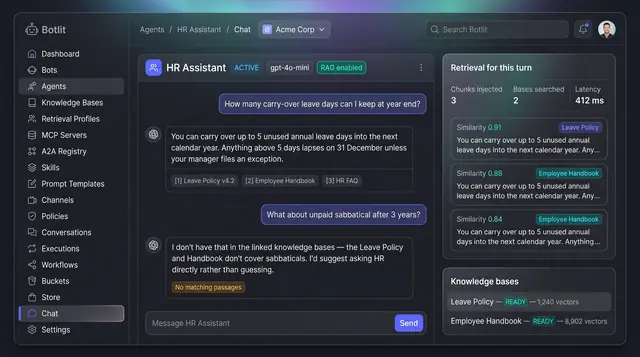
Grounded Answers with Cited Sources
Agents answer from your own knowledge bases, show the passages they used, and say so plainly when nothing matches.
1 illustration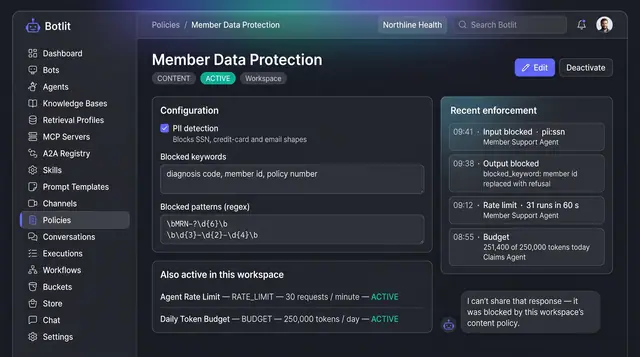
Content Policies and Guardrails
Workspace policies that block unsafe input and output, cap request rate and token spend, and list recent enforcement events.
1 illustration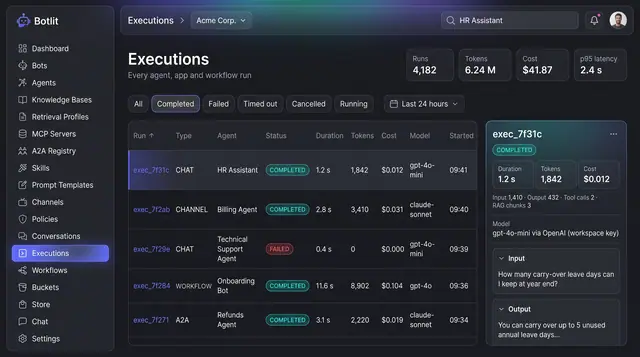
Execution Ledger and Run Costs
Every agent, channel and workflow run recorded with its status, duration, tokens, cost and the model that produced it.
1 illustration
Part of an industry solution
This concept appears in a cross-product solution on burdenoff.com — see how it works alongside other Burdenoff products to solve a problem in that industry.