Content Policies and Guardrails
Workspace policies that block unsafe input and output, cap request rate and token spend, and list recent enforcement events.
These images are illustrations of the concept, not screenshots of the actual product.
Overview
This Botlit concept treats guardrails as a first-class object in the workspace rather than a setting buried inside each agent. The illustration opens a single content policy, in the sample a member data protection policy in a health-sector workspace, reached from the Policies section. The header carries the policy name, a type badge marking it as a content policy, an active state, a scope badge showing it applies workspace-wide, and controls to edit or deactivate it.
The problem is that unsafe behavior arrives from both directions. A user can paste sensitive identifiers into a chat, and an agent can reproduce them in a reply, and neither is caught by tuning instructions alone. The design is built to act on both sides of a turn, as the enforcement feed later shows. In the configuration card, a PII detection checkbox, shown switched on, is described as blocking social security number, credit card and email shapes. A blocked keywords field holds terms the workspace does not want passing through, in the sample things like a diagnosis code, a member identifier and a policy number. A separate field holds regular expressions for identifier shapes that keywords cannot describe.
Because guardrails rarely act alone, a card beneath lists the other policies active in the same workspace with their type, their limit and their state, in the sample a rate limit expressed as requests per minute and a daily token budget. That gives a reviewer the full set of constraints on one page instead of scattered across agents.
The right side answers the question every governance feature has to answer: is it doing anything. A recent enforcement feed lists timestamped events from this policy and the other limits in force, most of them naming the agent involved, covering an input blocked on a personal-identifier match, an output blocked where a keyword was replaced by a refusal, a rate limit tripped by a burst of runs, and a daily token budget overrun. A small chat bubble at the bottom shows the reader what the blocked output looks like from the other end: a short, plain refusal telling the person the response was blocked by the workspace content policy. Together the page connects policy authoring, the other limits in force, and evidence of enforcement, and the token counts a budget measures are the same figures the execution ledger concept records for each run.
What this concept shows
- A single policy record with a type badge, an active state and a workspace-wide scope
- PII detection described as blocking social security number, credit card and email shapes
- A blocked keywords field for terms the workspace will not let pass
- A regular-expression field for identifier shapes that plain keywords cannot describe
- A companion card listing the other active policies with their type, limit and state
- A timestamped enforcement feed that names the agent behind most events
- Enforcement covering blocked input, blocked output, a rate limit and a token budget overrun
- A sample refusal message showing what a blocked response looks like to the person asking
How it works
- Open a policy from the Policies section and check its type, state and the scope it applies to.
- Switch on PII detection so social security number, credit card and email shapes are blocked.
- Add the keywords the workspace will not allow through, and regular expressions for identifier shapes.
- Review the card of other active policies to see the rate and budget limits already in force.
- Check the recent enforcement feed to confirm input and output are actually being blocked.
- Read the refusal that reaches the person asking, then edit or deactivate the policy as needed.
Who it's for
- Compliance and risk officers approving agent guardrails
- Workspace admins who set limits across many agents
- Support leaders in regulated industries
- Security teams reviewing what agents may accept and emit
Illustrations
1 illustration of this concept. Select one to view it full size.
A content policy with its configuration and enforcement feed
This desktop illustration shows a single content policy in the Policies section of a sample health-sector workspace, with the policy name, a content type badge, an active state, a workspace scope badge, and edit and deactivate buttons. A configuration card holds a checked PII detection box described as blocking social security number, credit card and email shapes, a field of sample clinical and membership terms to block, and a second field of regular expressions for identifier shapes. Beneath it, a card lists two other active policies with their type, limit and state: a per-minute request cap and a daily token budget. On the right, a timestamped enforcement feed records an input blocked on a personal-identifier match, an output blocked where a keyword was replaced with a refusal, a rate limit tripped by a burst of runs, and a budget overrun past the daily token cap, most of them naming the agent involved. A chat bubble from the bot below shows the plain refusal a person receives.
Topics
- AI content policy
- AI guardrails
- PII detection in chat
- blocked keywords policy
- agent rate limit
- daily token budget
- policy enforcement log
- AI governance controls
- block unsafe AI output
- regulated industry chatbot
Related concepts
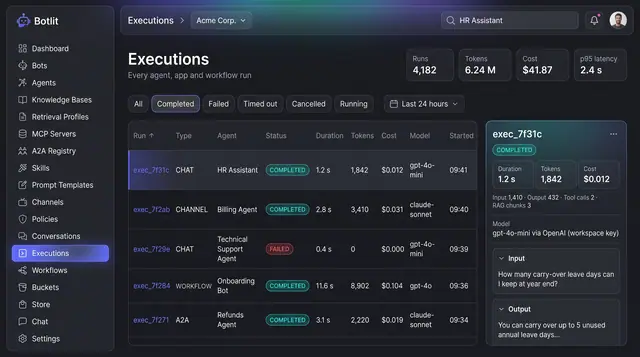
Execution Ledger and Run Costs
Every agent, channel and workflow run recorded with its status, duration, tokens, cost and the model that produced it.
1 illustration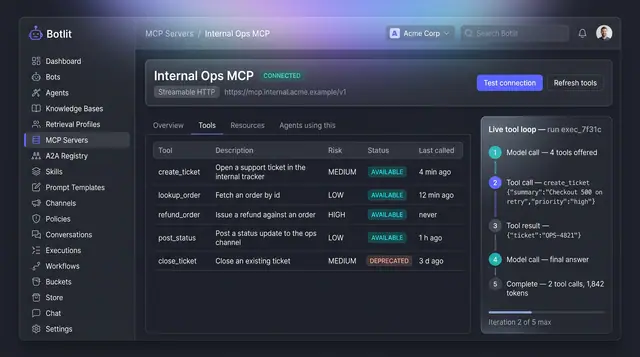
MCP Tool Servers and Live Tool Loop
A connected tool server lists every tool it exposes with a risk level, beside a step-by-step trace of one agent's tool calls.
1 illustration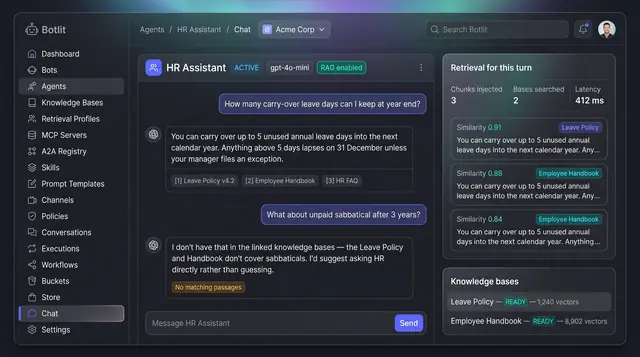
Grounded Answers with Cited Sources
Agents answer from your own knowledge bases, show the passages they used, and say so plainly when nothing matches.
1 illustration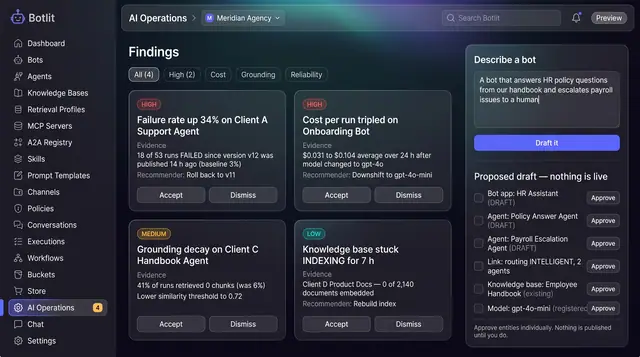
AI Operations Findings and Bot Drafting
An operations copilot that flags regressions across your bots and drafts a new one from a plain-language description.
1 illustration